How to fill AFCAT application form 2020? Check step-by-step guide
Air Force Common Admission Test 2026 ( AFCAT )


Interested in applying for AFCAT 2? Here is the step-by-step guide to help you fill the application form successfully.

The Indian Air Force (IAF) had released AFCAT 2 application form 2020. The window to fill the application form is open till July 14. Initially, candidates faced problem while filling the application form due to some server issues. However, the issue was resolved later. To complete the registration process smoothly and without any mistake, candidates search for how to fill AFCAT application. To help candidates, we have come up with an article on how to fill AFCAT application form. In this article, we have discussed regarding the step by step process of filling the application form along with the illustrations.
The application fees for AFCAT are Rs 250 and it is common for all categories. It is mandatory to have Aadhaar Card to fill AFCAT application form. However, Aadhaar Card is optional for candidates belonging to Jammu and Kashmir, Assam and Meghalaya. Check below how to fill AFCAT application form.
Dates related to AFCAT application process
The table below comprises AFCAT dates related to the application process.
| AFCAT (2) 2020 application form events | AFCAT (2) 2020 application form dates |
|---|---|
| Release of application form |
15-Jun-2020 |
| Last date of application |
14-July- 2020 |
| Fee payment |
15-Jun-2020 to 14-July-2020 |
| Exam date |
19-Sept-2020 to 20-Sept-2020 |
How to fill AFCAT application form?
Here is the step-by-step guide to filling the application form.
Step 1: Visit the official website of IAF. Click ‘Register Here’ button. Enter name, father’s name, mother’s name, email ID, select nationality, select secret question and answer and captcha code. After entering all details, click the ‘Sign Up’ button. Post the registration, candidates will receive a system-generated one-time password. It is advised to check your SPAM folder along with the inbox for one-time registration password.
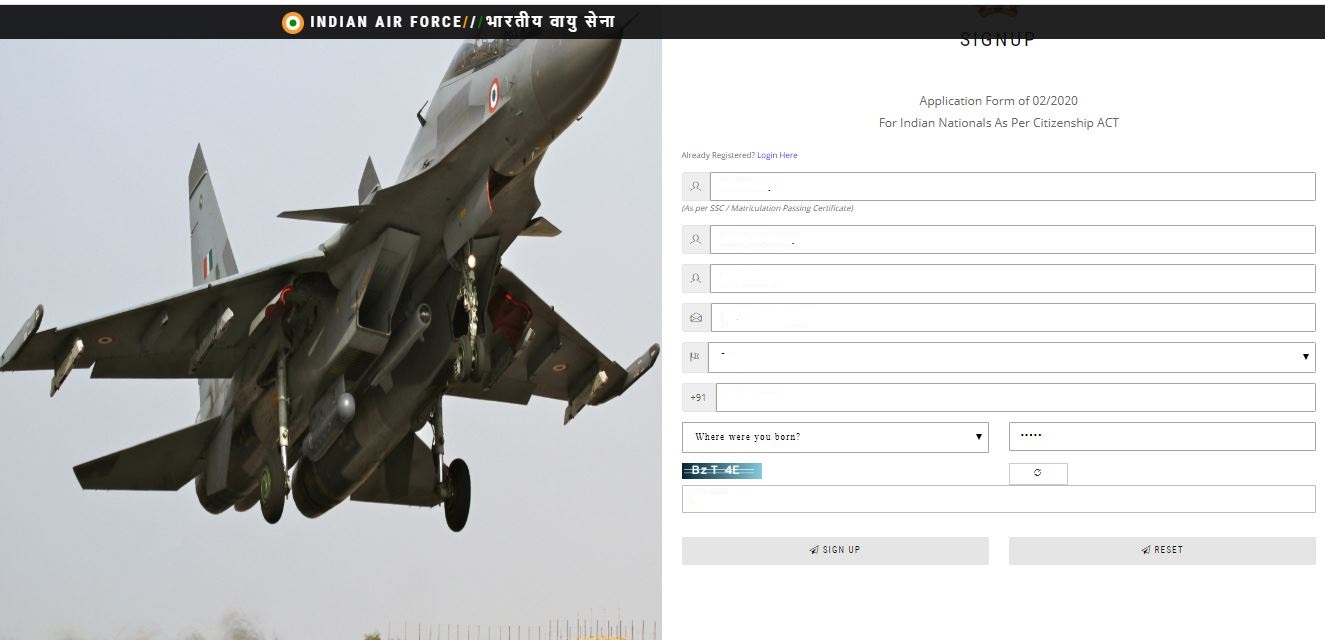
Step 2: After receiving the system generated one-time registration password. Candidates should login and change the password. After changing the password, candidates can proceed towards filling the application form.

Step 3: Before filling the application form, candidates should read the guidelines carefully to understand the registration process. Click the checkbox after reading the instructions.
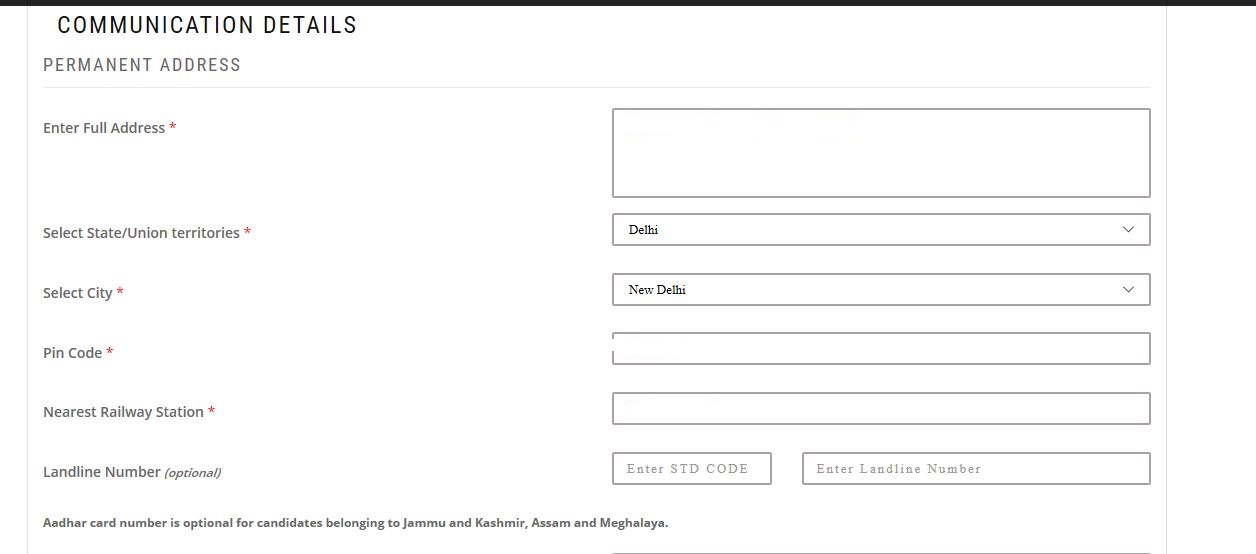
Step 4: The application form comprises personal information, educational qualification, course preferences and communication details. Some fields in the personal information part will be auto-filled (which are fetched from the details during registration). Candidates need to enter the educational qualification of Class 10, 12 and graduation. Once candidates are done with filling the educational qualification, they should proceed towards entering their address. Submit the information by clicking ‘Save and Continue’ button.
Personal Information
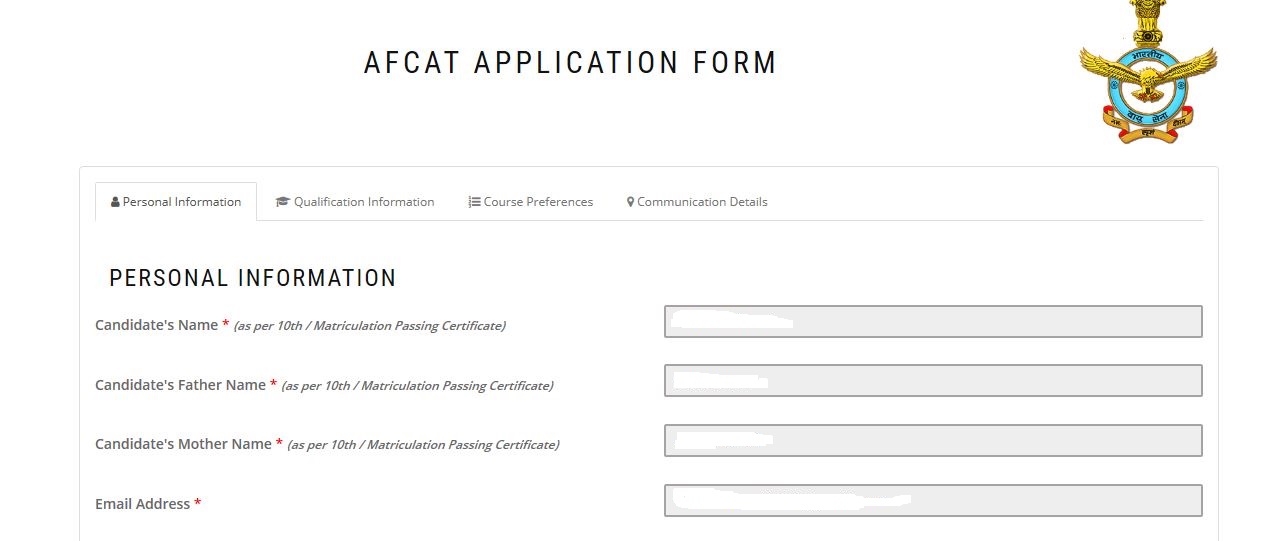
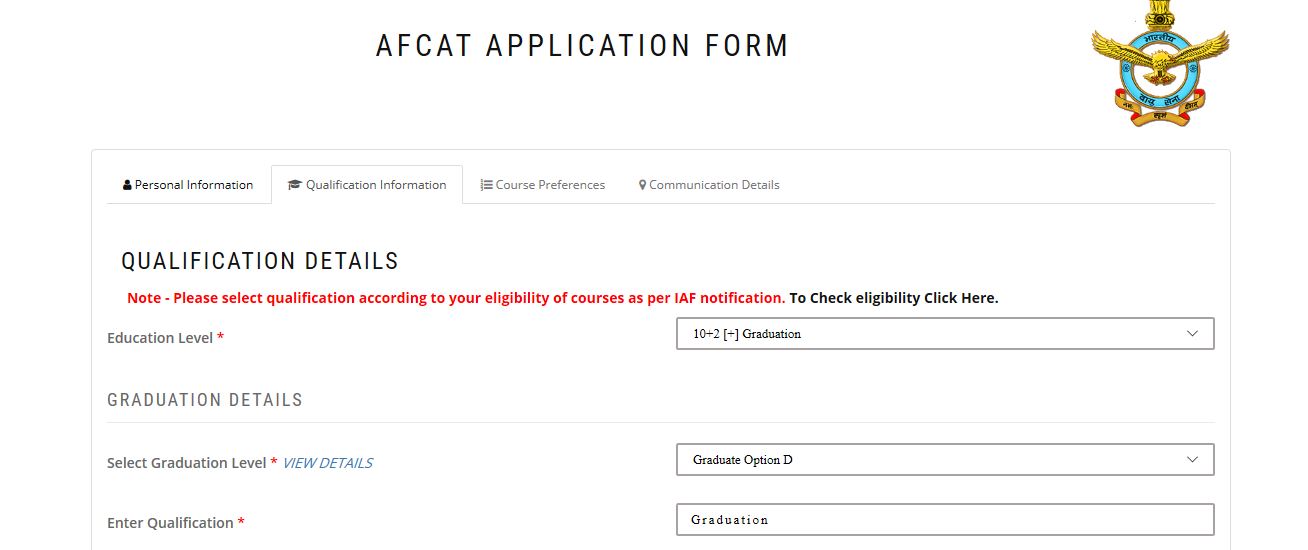
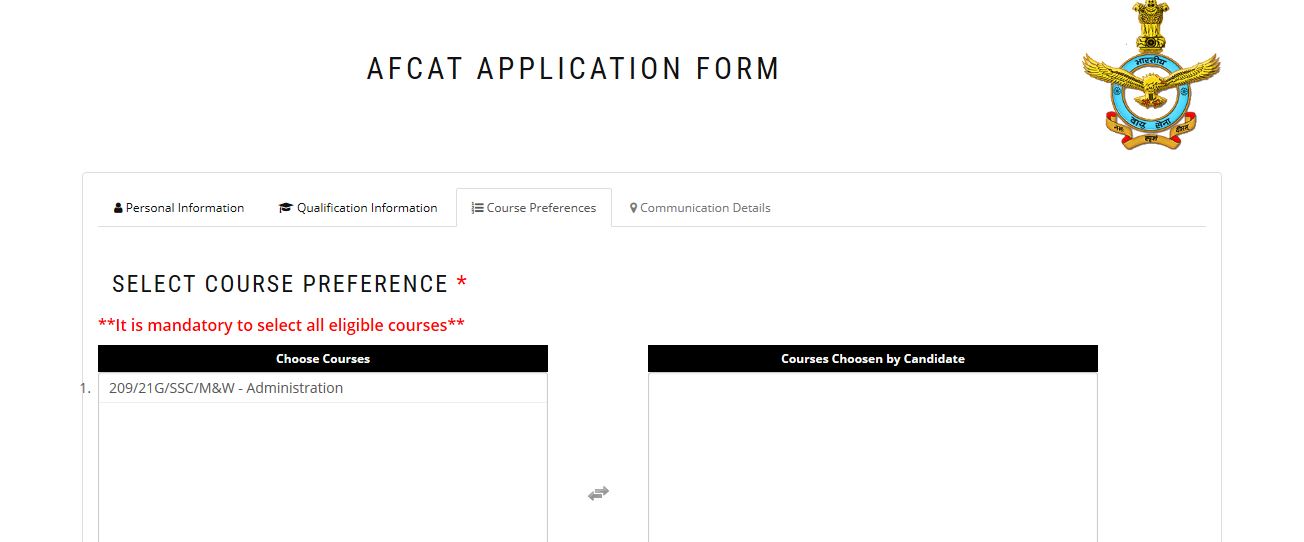
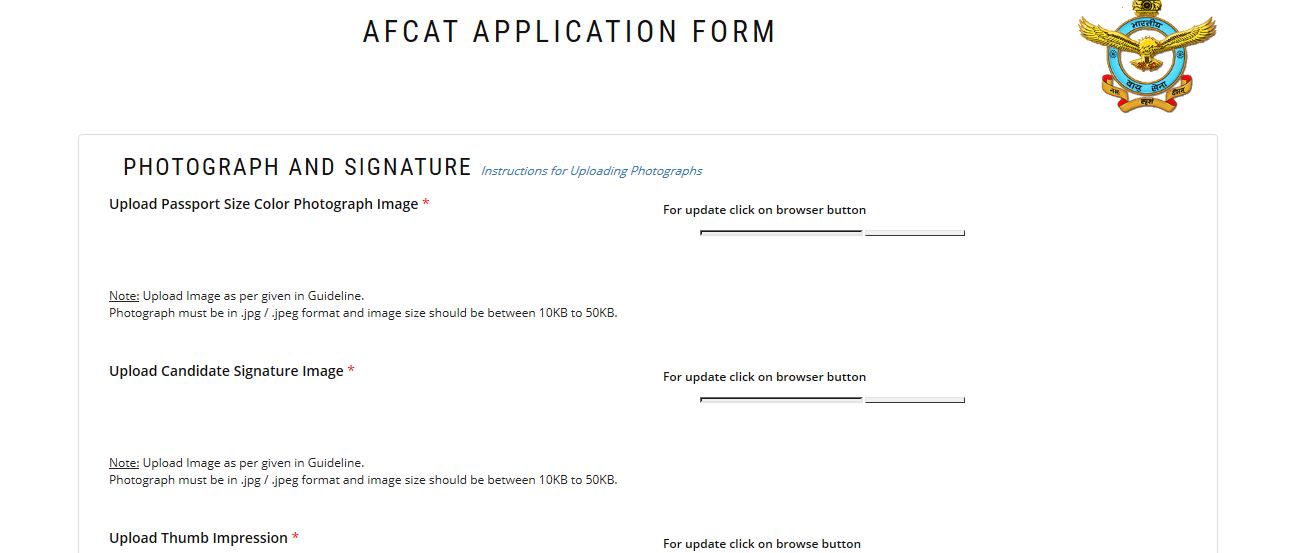
Step 5: The next step is uploading the photograph, signature and thumb impression. The size of each file should be in jpg/jpeg format and between 10 and 50 kb. Candidates should follow the prescribed format of uploading these documents.
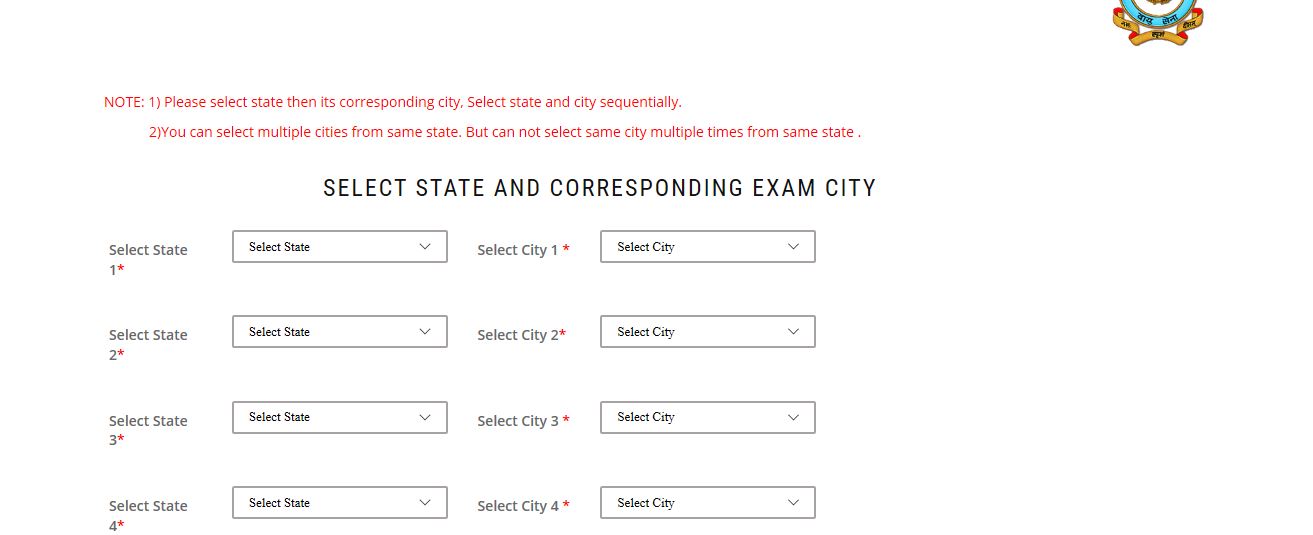
Step 6: Candidates need to select the exam cities as per their preferences. They have the option to select five exam cities. Candidates can select multiple cities from the same state. However, candidates cannot select same city multiple times from the same state.
Step 7: Post selection of exam cities, candidates should preview the application form. Candidates are advised to check the details carefully entered in the application form. They can edit if there are any discrepancies in details. Candidates should remember that no changes will be accepted after the final submission of the application. After verifying the details, agree to the terms and conditions and submit the form.

Step 8: After final submission of application, candidates should proceed to pay the application fees using credit card/debit card or net banking.
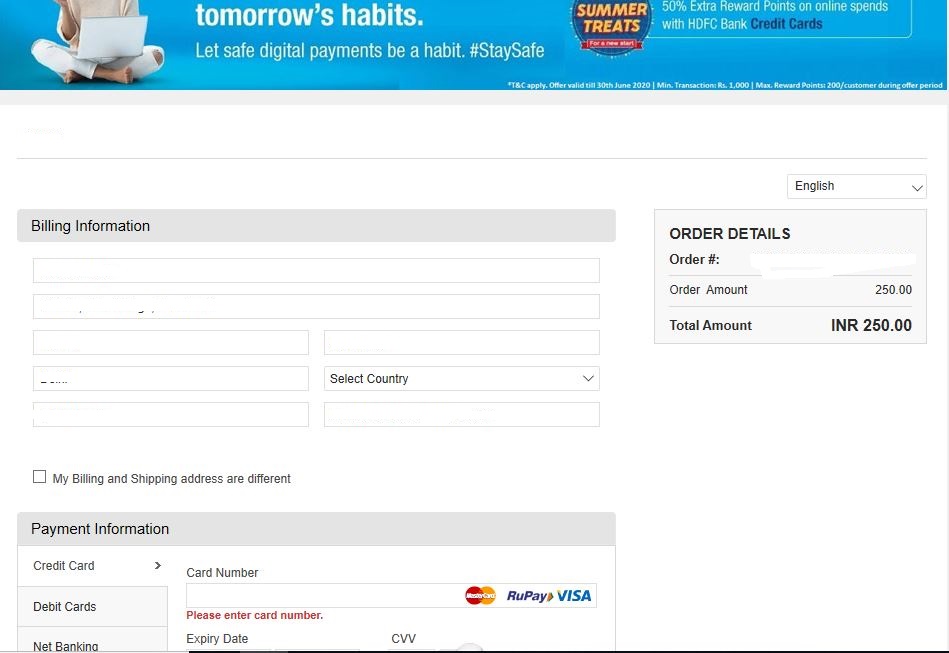
Step 9: After successful payment, the payment status pay will be displayed on the screen. Candidates will also receive a payment confirmation mail on their registered email ID.

Step 10: Candidates can take printout of AFCAT application form by clicking ‘Print Application Form’ button.
Watch the video on how to fill AFCAT 2 application form
AFCAT (2) 2020 exam is conducted for Flying Branch and Ground Duty (Technical and Non-Technical) branches/NCC Special Entry/Meteorology Entry for courses commencing in July 2021. Registered candidates will be able to download AFCAT admit card 2020 from September 4.
Read More:

News & Updates
Explore Other Exams
10 Dec '25 - 17 Dec '25 | IBPS PO 2025 Mains Scorecard |
9 Dec '25 - 24 Dec '25 | IBPS PO 2025 Interview Call Le... |
31 Jan '25 | RBI Assistant 2025 Notificatio... |
31 Dec '23 | RBI Assistant mains exam 2023 |
10 Dec '25 - 30 Dec '25 | CDS 1 Application Process 2026 |
12 Apr '26 | CDS 1 Exam 2026 |
6 Aug '25 - 8 Aug '25 | SSC Stenographer exam dates 20... |
29 Jul '25 | SSC Stenographer notification ... |
26 Aug '25 | RPF SI Final Result |
22 Jun '25 - 2 Jul '25 | Physical Test Date |
10 Dec '25 - 30 Dec '25 | NDA 1 Application Form 2026 |
12 Apr '26 | NDA 1 2026 Exam Date |
Dec '25 | SSC CGL 2025 Tier-2 Exam Dates |
Oct '25 | SSC CGL Tier 1 Answer Key 2025 |
9 Dec '25 | DRDO CEPTAM Application Form 2... |
12 Jan '23 | Tier 2 exam date for STA-B |

Student Forum
 Anything you would want to ask experts?
Answered 5 days ago
AFCAT reporting timings are mentioned in the admit card. The shift-wise reporting timings are given below.
| AFCAT Shifts | AFCAT Reporting Time |
|---|---|
| Shift 1 | 7.30 am |
| Shift 2 | 12.30 pm |
A
Contributor-Level 7